How it works
From a route to a relaxed journey
Good charge planning does not end when you set off.
Traffic, weather, consumption and unplanned breaks keep changing along the way. SparkRoute helps you find a charging option that fits, anywhere on your route, without switching between apps.
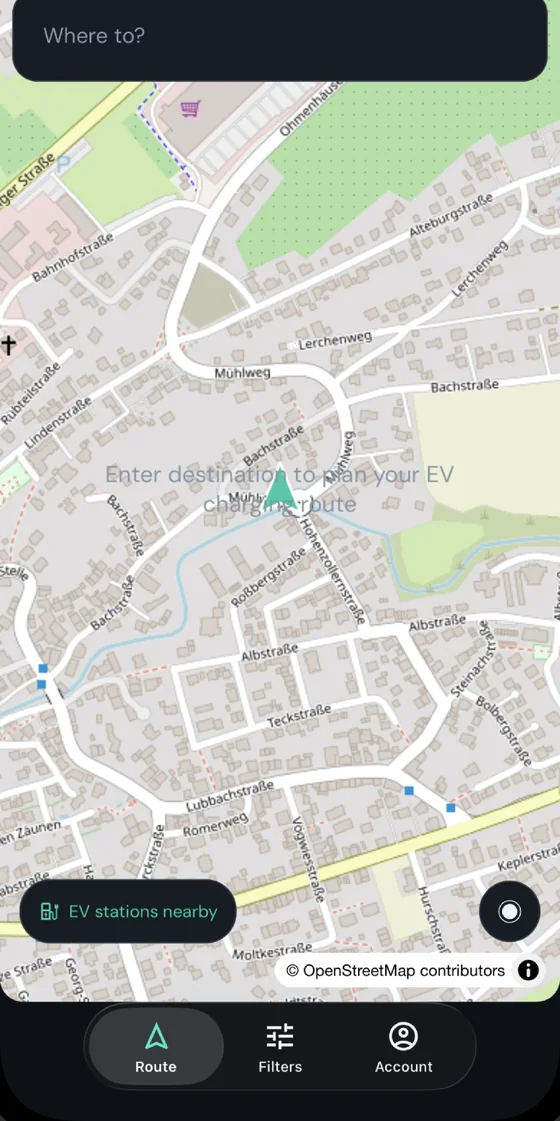
01Route tab
Enter a destination
Just tell SparkRoute where you want to go.
You can also set your current battery level and the range you want to have left on arrival. Your vehicle profile makes sure the calculations match your actual battery and charging power.
The result: a route cut to fit your car.
02Route options
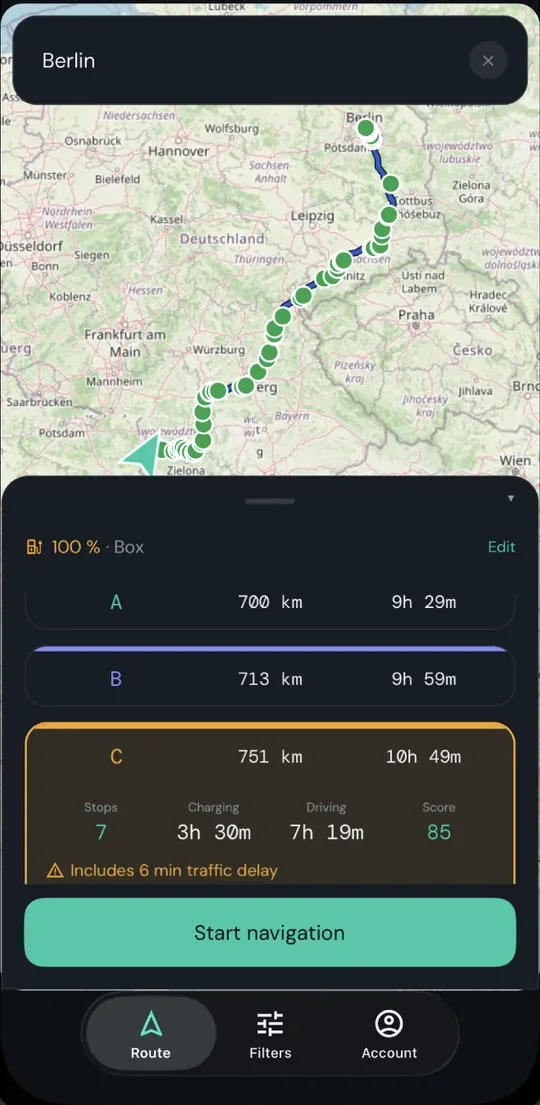
Find the best route
Not every route is the same.
Some have plenty of fast, dependable charging along them. Others have longer gaps, or stops you would rather not make.
That is why SparkRoute scores whole routes instead of individual chargers.
At a glance you see:
- Driving time
- Estimated charging time
- Charging stops needed
- The quality of the charging along the route, measured against your filters
So you can tell straight away which route actually drives better in practice.
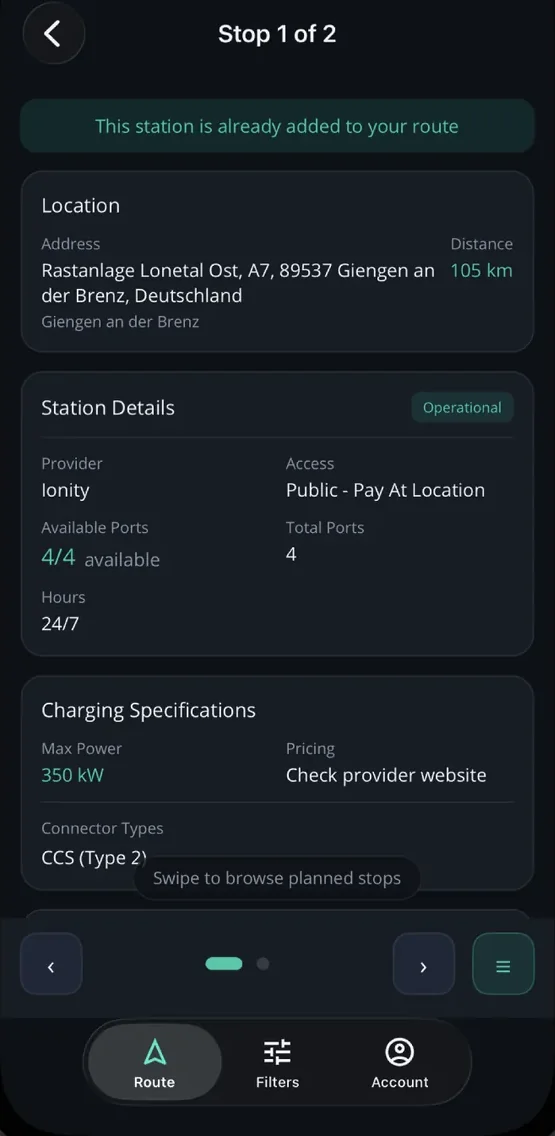
03Station detail
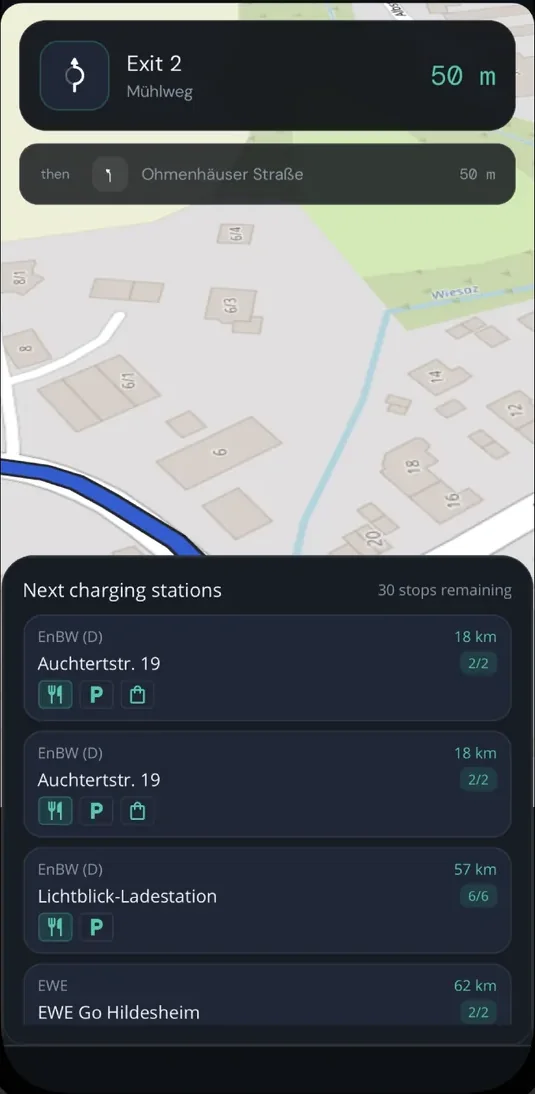
Choose charging stops when you need them
Unlike many other planners, SparkRoute does not make you fix every break before you set off.
You can search along your route for charging that suits you at any point, and add it in a few taps.
Before the drive. During the drive. Or exactly when the situation changes.
04Filters tab
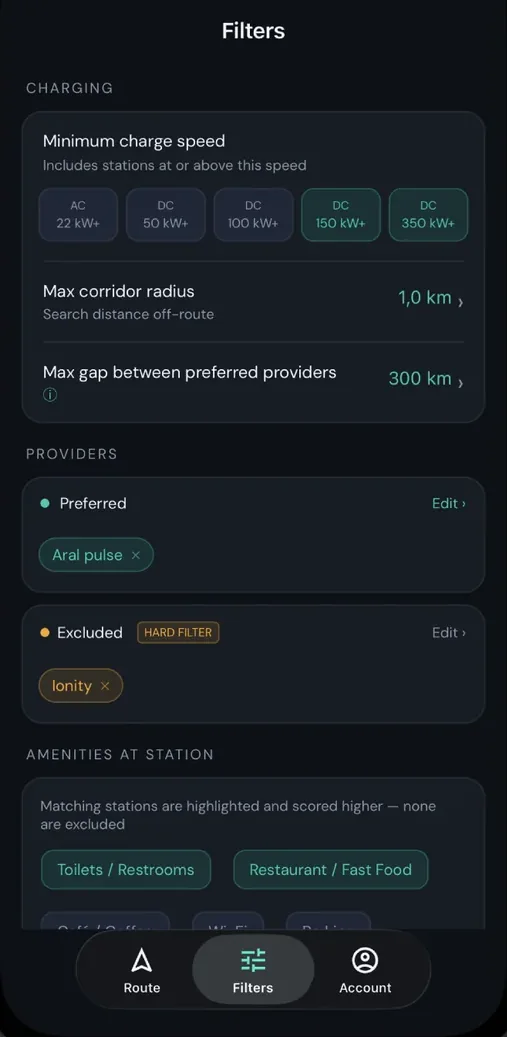
See only the chargers that suit you
Everybody charges differently.
So you decide:
- Which providers you prefer
- Which providers you want to rule out
- What minimum charging power makes sense
- How far you would leave the route for a charging stop
SparkRoute takes all of this into account when it scores the routes. That saves you time, and keeps out chargers you would never have used anyway.
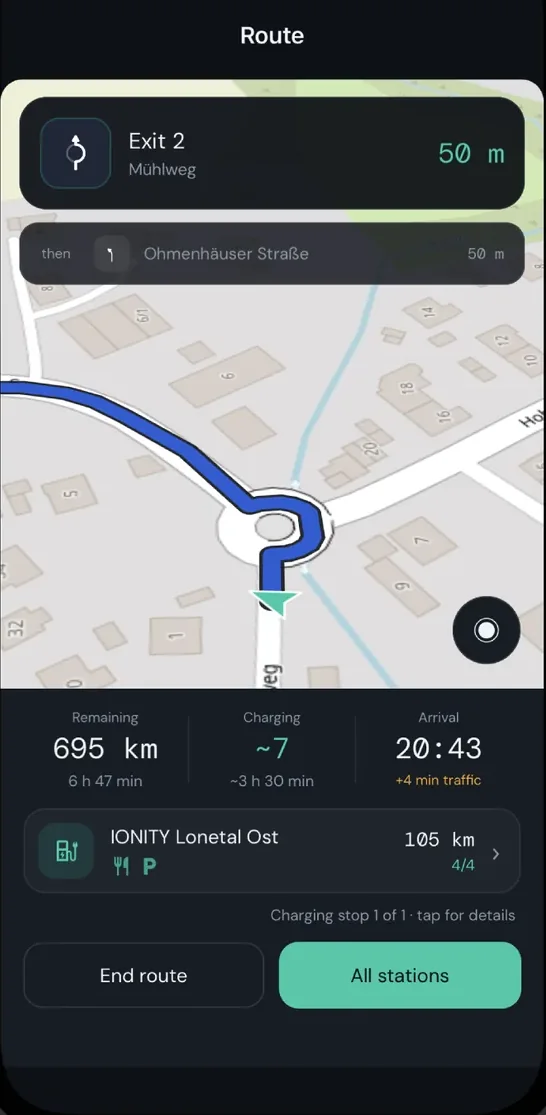
05Active navigation
Stay relaxed on the road
While you drive, everything that matters stays in view:
- Distance to the next stop
- Distance still to go
- The next maneuver
And if you need another charging stop on the spur of the moment, it is only a few taps away.
06Planned stops
Your charging plan adapts with you
Drives rarely go exactly to plan.
Maybe you drove faster. Maybe you charged for longer.
After every charging stop you can enter the battery level you actually have.
SparkRoute then works out again how many further stops make sense.
No rigid plans. Recommendations that keep up with reality.
Account tab
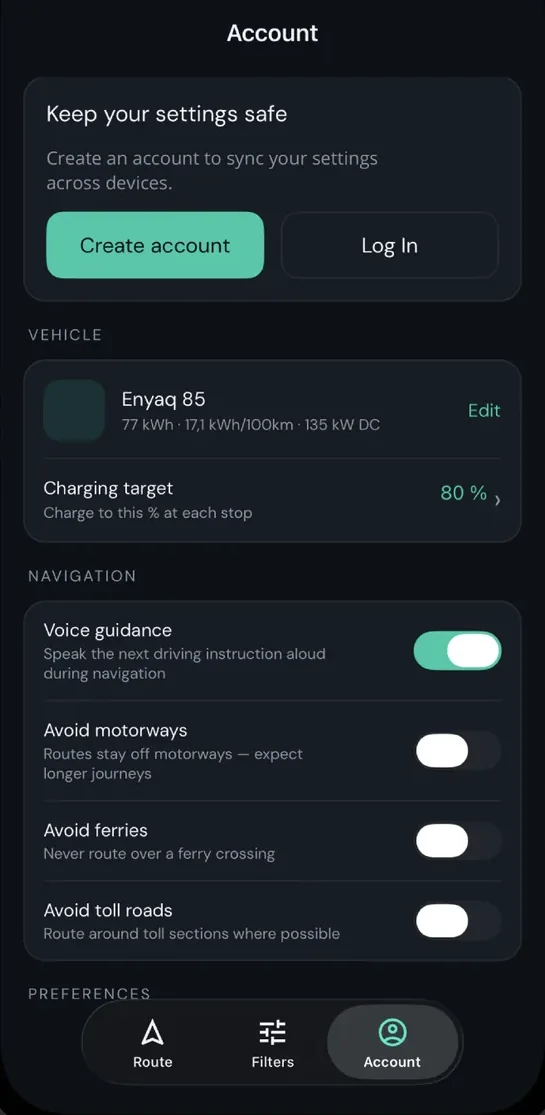
Your vehicles and settings on every device
Your vehicles, filters and settings are synced automatically.
So you can carry straight on planning from a new device, without setting everything up again.
SparkRoute does not just plan your journey. It comes along for it.
Find the best charging stops along your route, adjust your plan whenever you need to, and stay flexible when things do not go to plan. Less searching. Less switching between apps. A calmer arrival.